
| Date | Venue | Fee | |
|---|---|---|---|
| 20 Jul - 24 Jul 2026 | Dubai – UAE | $ 5,950 | Register Now |
| 26 Oct - 30 Oct 2026 | London - UK | $ 5,950 | Register Now |
| 14 Dec - 18 Dec 2026 | Dubai – UAE | $ 5,950 | Register Now |
About the Course
Microsoft Excel remains one of the most critical analytical tools within modern organisations, supporting financial reporting, operational monitoring, performance tracking, budgeting, forecasting, and decision analysis across departments. Despite the availability of specialised analytics platforms, Excel continues to function as the operational backbone for managing structured data and producing business-critical reports. However, inconsistent spreadsheet design, manual data handling, fragmented datasets, and underutilisation of core analytical features often result in inefficiencies, control weaknesses, and unreliable outputs. As data volumes increase and reporting timelines tighten, professionals must demonstrate stronger technical discipline, structured data practices, and analytical confidence to maintain accuracy and support informed decision-making.
This interactive 5-day Data Management, Manipulation, & Analysis Using Excel training course is designed to enhance delegates’ capability in managing, transforming, analysing, and presenting data using Excel’s structured and intermediate-level analytical tools. Through guided application and practical exercises, delegates will apply logical and lookup functions, dynamic array techniques, PivotTables, Power Query transformation workflows, and forecasting tools to address realistic business scenarios. It emphasises structured spreadsheet architecture, data validation controls, workflow efficiency, and clarity in analytical reporting. Upon completion, delegates will be able to handle medium-to-large datasets with greater confidence, reduce operational risk within spreadsheets, and produce professional, reliable outputs aligned with corporate reporting standards and management expectations.
Core Objectives
The delegates will achieve the following objectives:
- Apply structured Excel techniques to organise and manage business datasets effectively
- Implement logical, lookup, and conditional functions to automate calculations and improve accuracy
- Design well-structured spreadsheets incorporating validation and control mechanisms
- Analyse data using PivotTables, dynamic arrays, and summary tools
- Apply scenario and forecasting techniques to support managerial decisions
- Enhance spreadsheet integrity through disciplined formatting, auditing, and review practices
- Produce professional dashboards and reports aligned with organisational reporting standards
Training Approach
This training course adopts a structured, practice-oriented methodology combining guided demonstrations, instructor-led walkthroughs, and hands-on application using realistic business datasets. Delegates will progressively build competence through step-by-step exercises focused on data cleaning, transformation, analysis, automation, and reporting. Each session reinforces disciplined spreadsheet design, control mechanisms, and analytical clarity. The approach ensures that participants not only understand Excel functions, but also apply them confidently within real workplace contexts to improve efficiency, reduce errors, and strengthen decision-support capability.
The Attendees
This training course is suitable for professionals who use Excel regularly and seek to enhance their analytical discipline, reporting accuracy, and data management capability within corporate environments.
A broad range of professionals will benefit, including but not limited to:
- Data Analysts
- Business and Operations Analysts
- HR and Payroll Officers
- Administrative and Reporting Officers
- Accountants and Finance Professionals
- Supply Chain and Procurement Personnel
- Project Coordinators and Controllers
- Engineers responsible for operational reporting
- Supervisors and Team Leaders responsible for data-driven reporting
Daily Discussion
DAY ONE: STRUCTURED DATA MANAGEMENT & CONTROL FOUNDATIONS
- Principles of Structured Data Design and Formatting Standards
- Converting Raw Data into Structured Tables
- Sorting, Filtering, and Data Consolidation Techniques
- Text-to-Columns and Flash Fill for Efficient Data Cleaning
- Logical Functions (IF, AND, OR) for Controlled Calculations
- Data Validation, Error Checking, and Input Control Mechanisms
DAY TWO: LOOKUP FUNCTIONS & CONTROLLED DATA MANIPULATION
- Application of VLOOKUP and XLOOKUP for Structured Retrieval
- INDEX and MATCH for Flexible Data Referencing
- Integrating Logical and Lookup Functions for Automated Processing
- Managing Dates, Text, and Structured References
- Conditional Formatting for Exception Identification
- Managing Medium-to-Large Datasets Efficiently and Accurately
DAY THREE: DATA ANALYSIS & STRUCTURED REPORTING TOOLS
- Designing and Customising PivotTables
- Grouping, Filtering, and Comparative Analysis Techniques
- Calculated Fields and Summary Enhancements
- PivotCharts for Visual Performance Reporting
- Dynamic Array Functions (UNIQUE, SORT, FILTER) for Structured Outputs
- Basic What-If Analysis for Decision Support
DAY FOUR: DATA TRANSFORMATION & WORKFLOW EFFICIENCY USING POWER QUERY
- Introduction to ETL Concepts (Extract–Transform–Load) in Excel
- Importing and Consolidating Data from Multiple Sources
- Cleaning, Transforming, and Standardising Datasets
- Appending and Merging Queries for Integrated Reporting
- Unpivoting Data for Analytical Flexibility
- Introduction to Data Model Concepts and Table Relationships
DAY FIVE: PROFESSIONAL REPORTING, AUTOMATION, & FINAL APPLICATION
- Designing Structured Management Reports
- Developing Clear and Interactive Dashboards
- Scenario Planning Using Goal Seek and Forecast Tools
- Recording and Applying Simple Macros for Automation
- Strengthening Workbook Protection and Control
- Final Practical Project Integrating Cleaning, Analysis, and Reporting Techniques
Certificate Awarded
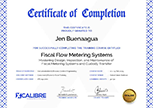
Upon successful completion of this training course, participants will be awarded a Certificate of Completion from XCalibre Training Centre, acknowledging their accomplishment. This certificate serves as a testament to their dedication to developing their skills and advancing their expertise in their respective fields.